
Microsoft Office Professional Plus 2024
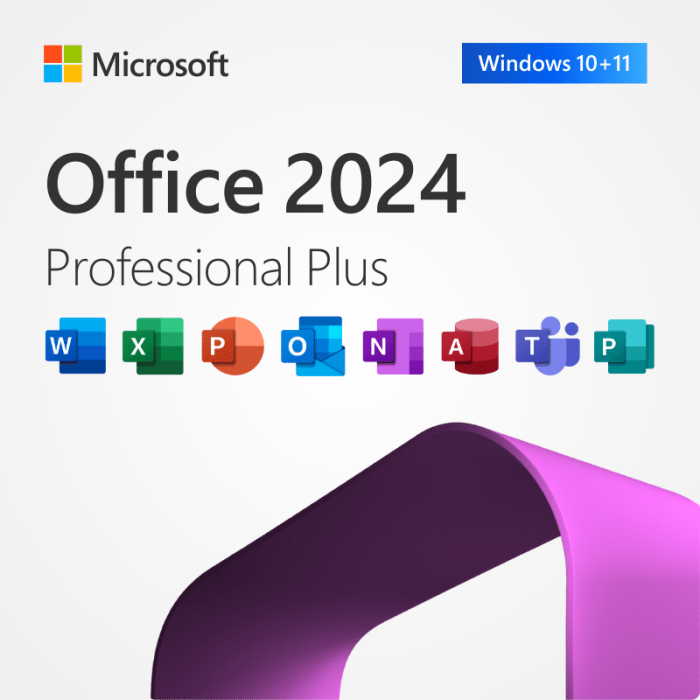
What is included in Microsoft Office 2024 Professional Plus?
Word – Create professional documents with modern editing tools.
Excel – Analyze data faster with improved formulas and charts.
PowerPoint – Build engaging presentations with smarter design features.
Outlook – Manage email, calendars, and tasks in one place.
Access – Build and manage databases for structured information.
OneNote – Capture notes and organize projects across notebooks.
Important – Publisher, Project, Visio not included.
What are the main benefits of Microsoft Office 2024 Professional Plus?
Microsoft Office 2024 Professional Plus is a feature-complete desktop Office suite for productivity and database work. It includes the core Office apps plus Access for advanced data needs.
Full desktop suite – Get core apps for daily business productivity.
Access included – Build databases for forms, queries, and reports.
Stable feature set – Keep a consistent experience for users and IT.
Offline ready – Work without relying on constant cloud access.
Improved security – Benefit from modern protections across Office apps.
Familiar workflows – Upgrade with minimal retraining for teams.
Is Microsoft Office 2024 Professional Plus a one-time purchase?
Yes, it is a non-subscription Office suite you buy once.
No monthly or yearly fees.
Desktop apps installed locally for daily work.
Designed for long-term use in organizations.
What is the difference between Office 2024 Professional Plus and Office 2024 Standard?
Professional Plus includes Microsoft Access, while Standard does not.
Professional Plus: Word, Excel, PowerPoint, Outlook, OneNote, Access.
Standard: Word, Excel, PowerPoint, Outlook, OneNote.
Choose Professional Plus if you need database features.
What is the difference between Office 2024 Professional Plus and Microsoft 365?
Office 2024 Professional Plus is a fixed-feature purchase, while Microsoft 365 is a subscription with ongoing feature additions.
Office 2024 keeps a stable feature set over time.
Microsoft 365 adds new features more frequently.
Pick based on whether you prefer stability or continual changes.
Does Office 2024 Professional Plus include Access?
Yes, Microsoft Access is included in Office 2024 Professional Plus.
Create databases with tables, queries, and forms.
Useful for internal tools and structured record-keeping.
Works well with Excel for importing and exporting data.
Does Office 2024 Professional Plus include Publisher?
No, Publisher is not included in any Office 2024 suite, and Publisher reaches end of life in October 2026.
Publisher is not part of Office 2024 Standard or Professional Plus.
Microsoft has announced Publisher end of life in October 2026.
After that, Publisher files require alternative solutions.
Does Office 2024 Professional Plus include Visio or Project?
No, Visio and Project are separate products and are not included in the Office 2024 Professional Plus suite.
Office apps included focus on documents, email, and databases.
Visio is purchased separately for diagramming needs.
Project is purchased separately for project scheduling needs.
Can I install Office 2024 Professional Plus without removing an older Office version?
Most setups work best when you remove older Office suites first.
Reduces app conflicts and duplicate components.
Avoids mixed file associations and add-in issues.
Simplifies troubleshooting and future updates.
Why does the installer say the product can’t be installed on the selected update channel?
This usually means the installation configuration doesn’t match the intended release channel.
Check that your configuration matches the Office edition you’re deploying.
Use a clean test machine to validate your settings.
Standardize one configuration for consistent rollouts.
Can I deploy Office 2024 Professional Plus to multiple PCs in a business?
Yes, IT teams commonly deploy it using centralized software deployment methods.
Use a consistent installation package and configuration.
Pilot on a small group before wider rollout.
Document add-ins and templates your users rely on.
What customers say about Microsoft Office 2024 Professional Plus:
"Professional Plus is ideal because Access is included for our internal databases."
"We wanted a stable desktop Office setup without ongoing subscription changes."
"Everything feels familiar, and our users adjusted immediately."
"Great for offline environments where cloud tools aren’t practical."
"Deployment was straightforward once the configuration was standardized."
 WhatsApp Us